Public Minecraft skin

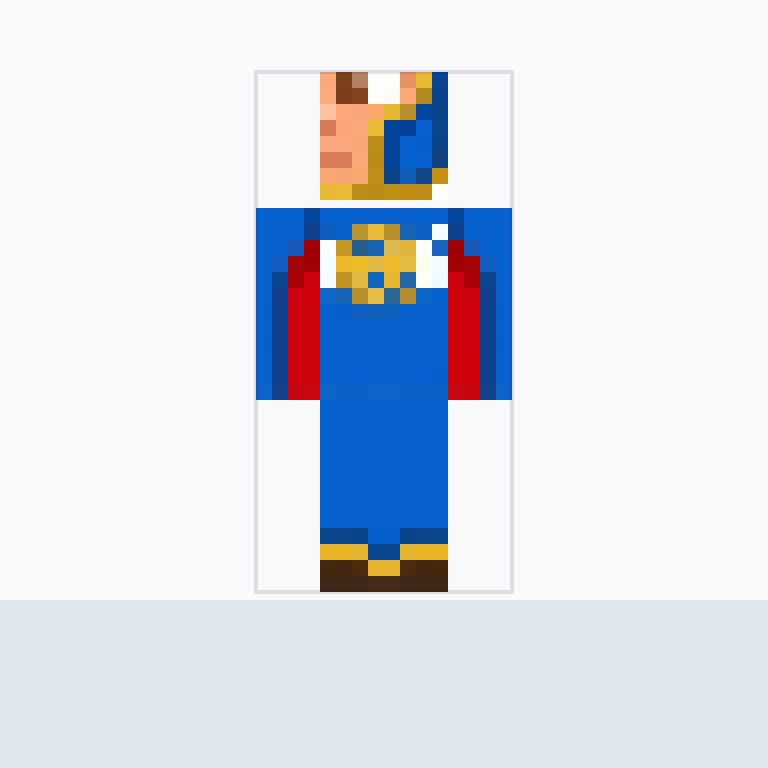
World Tournament Goalkeeper Minecraft Skin. A world tournament g

Action

Description

Minecraft skin generated from: World Tournament Goalkeeper Minecraft Skin. A world tournament goalkeeper MC skin with a complete 64x64 PNG texture for preview, download, and remix. Complete Minecraft 64x64 skin texture atlas for a world to

Format
64x64 PNG
Model
Steve standard
Style
classic
minecraft skinmc skin64x64classicsteve
How to wear this Minecraft skin

Download the 64x64 PNG, then use the flow for your Minecraft edition. Custom PNG imports are straightforward in Java Edition and supported in Bedrock Dressing Room on compatible platforms.

Java Edition upload flow
  1. Download the 64x64 PNG from this page.
  2. Open Minecraft Launcher and go to Skins, or open your Minecraft profile skin page.
  3. Create or edit a skin, choose the matching model Classic, then select the downloaded PNG.
  4. Save the skin and use it before launching the game.
Official Java skin guide
Bedrock Edition Dressing Room flow
  1. Download the 64x64 PNG to the device running Bedrock.
  2. Open Minecraft: Bedrock Edition and select Dressing Room.
  3. Choose a character slot, open classic skins or owned skins, then use the custom skin import option when your platform supports PNG import.
  4. Pick the downloaded PNG, confirm the model type, and equip the skin.

Some console versions do not expose custom PNG import in the same way as desktop or mobile Bedrock.

Official Bedrock Dressing Room guide

Minecraft skin FAQ

Is this a Java or Bedrock skin?

The download is a standard 64x64 Minecraft skin PNG, suitable for Java and supported Bedrock custom skin import flows.

Can I edit this skin?

Use Remix to open the generator with this texture as a reference, then adjust the prompt, colors, labels, or style.

World Tournament Goalkeeper Minecraft Skin. A world tournament g Minecraft Skin, Tags & 64x64 PNG Download | Roblox Skin Creator